
Cancel an Appointment
To cancel an appointment in the Session or Current appointments views:
- Right click on the appointment(s) you want to cancel.
A tick displays on the selected slot and the toolbar activates at the top of the view.
- Select Cancel Appointment
 from the toolbar.
 - Select a Cancellation reason from the drop down list.
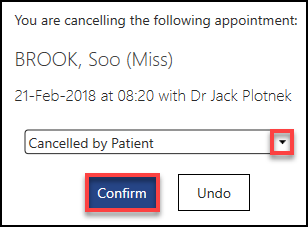
- Choose Confirm to proceed.
The appointment is cancelled and the view refreshes.
See - Move Appointments.
Video Tutorial

Cancelling Appointments from the Booking Form (0.39)

