|
|
|
|
|


Accessing Vision Apps
You can access Vision Apps in two ways, from:
 Consultation Manager (with a patient selected and a consultation open)
-
 Apps Controller
From Consultation Manager
- From Consultation Manager, select the patient and choose Apps from the Vision Toolbar(or press Alt+p).
 Note - In order to enable the Apps menu you must have a patient selected and have a consultation open.
 - You can either:
- Click Select Apps (Shift+F10) which displays the Apps Menu, or
- Choose a specific App from the pre-defined list (Alt+p then press the underlined letter)
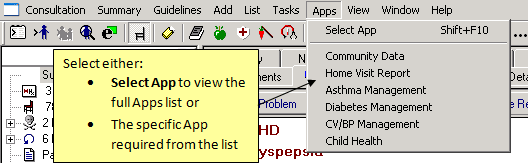
Apps Toolbar
- The Vision Apps screen displays:
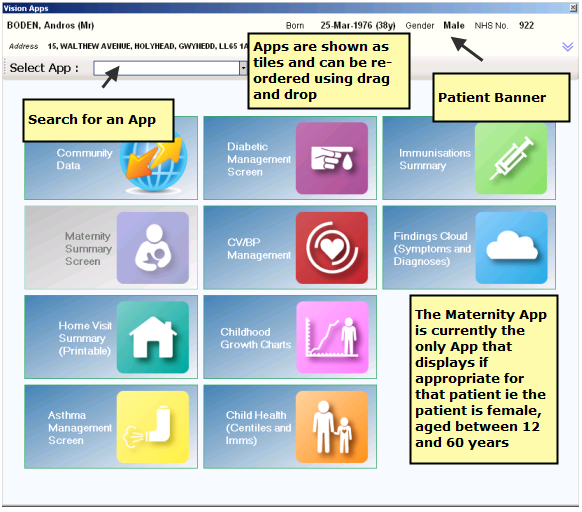
Apps Menu
From Apps Controller
From the Vision front screen click  Apps Controller to open the Apps Controller application. The Patient Apps tab displays all patient-centric apps.

