
|
|
|
|
|


Detailed Pharmacy Search
Click on More…  within the EPS Nominated Dispenser Selection window to run a detailed pharmacy search. The Pharmacy Search window is displayed. From here, you can use one or more of the following options to search for a Community Pharmacy:
- Show non-participating sites – includes dispensing contractors in the search who are not compliant with EPS R2. Any matching non-compliant pharmacies display in greyed out text and cannot be selected. This selection is unchecked by default.
- Postcode – enter the full postcode to find a matching pharmacy.
- Part Postcode – enter up to 4 characters of a postcode.
- Name, Street, Town – enter the name or location of the pharmacy.
- NACS Code – Search by NACS code (National Administrative Codes Service ).
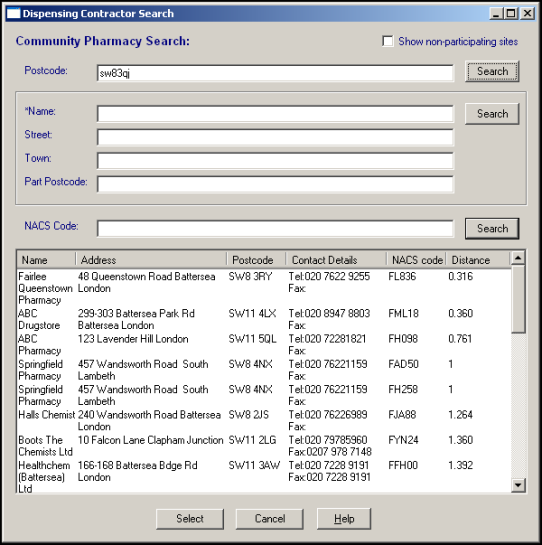
Once you have found the required pharmacy, click on Select to save. Nominations are not stored in Vision. When a pharmacy is nominated, a PDS update is generated and a message is sent to the Spine.

