|
|
|
|
|


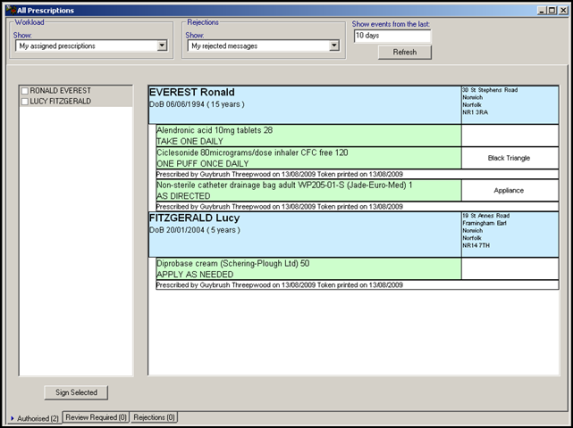
Bulk Signing - All Prescriptions View
The All Prescriptions view provides a multi-patient view of prescriptions which is accessed via Consultation Manager. This screen has three main purposes:
- To facilitate the bulk signing process after prescriptions have been issued either by admin or clinical staff.
- To process items which need review before signing.
- To facilitate the handling of message rejections.
To access All Prescriptions view:
- In Consultation Manager either click on the List All Prescriptions icon
 or go to Consultation – List All Prescriptions.
 - The All Prescriptions icon changes appearance depending on the current state of prescriptions in the system. There are the following possibilities:

- - No prescriptions in workload and no errors

- - Prescriptions in workload

- - Rejected items have been detected
- - No prescriptions in workload and no errors
- The All Prescriptions screen is displayed.