
|
|
|
|
|


GP Summary Bulk Uploads
From Vision - SCR - GP Summary Bulk uploads  , you can now select one of the following five options:
- Initial UpLoad - This upload is a one-off process, which compiles an Initial National Summary for each eligible non-dissenting patient registered at your practice. This should be run at a time agreed with your CCG.
- Bulk Update - A new option which can be run if a large number of patients require their GP summary refreshing.
- Consent Migration - A new option which uploads patient SCR consent status from Vision to the Spine and processes some local changes to patient's consent.
- Bulk Deregistration - A new function to send an update summary and additional message when a group of patients leave the practice, ie when a practice splits.
- Practice No Longer Contributing to SCR - This new function enables you to send an update summary an additional text when the SCR function is disabled/switched off, for example when a practice closes. This upload is inactive until the SCR function is switched off, the upload then activates and can be run. See Enabling/Disabling GP Summary
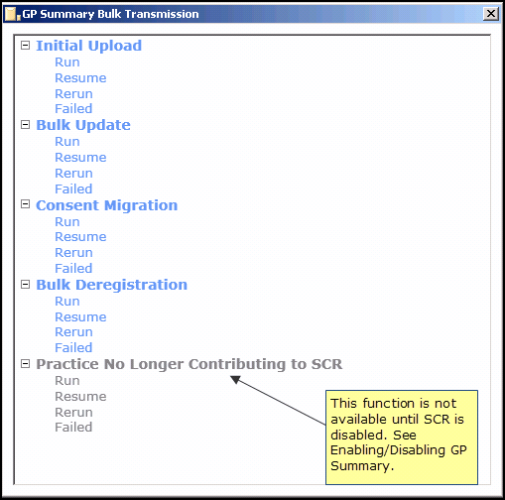
GP Summary Bulk Transmission Screen
 Note - To run bulk uploads, you must be a System Administrator with the RBAC role B0062 - Schedule, manually start, manually stop and manually restart bulk uploads, including the initial upload.
To run the SCR bulk transmissions uploads, you must also log into Vision with your Smartcard. Your Smartcard should be left in the reader until your upload has completed, however, it should be noted that your Smartcard will automatically expire after 10 hours and in line with Information Governance, you must not leave your Smartcard unattended in the reader.

