
|
|
|
|
|


Authorise Queued Summaries
To process queued messages:
 Note - Summaries queued when a Clinician has not logged in with a Smartcard will be automatically sent from the queue when the Clinician next logs in, unless they have already been manually authorised.
- Go to Vision - SCR - Queued GP Summaries
 .
.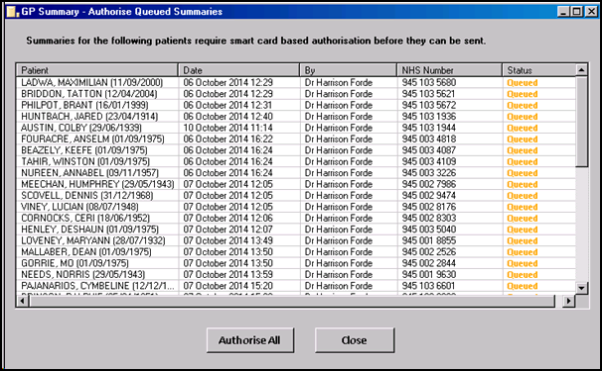
GP Summary - Queued Summaries
- To process the queued messages click Authorise All.
- You are prompted "This action will authorise and transmit ALL listed summaries. Are you sure you wish to continue?" click OK.
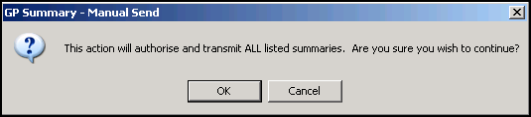
Queued Summaries - Authorise All
- A progress bar is displayed.
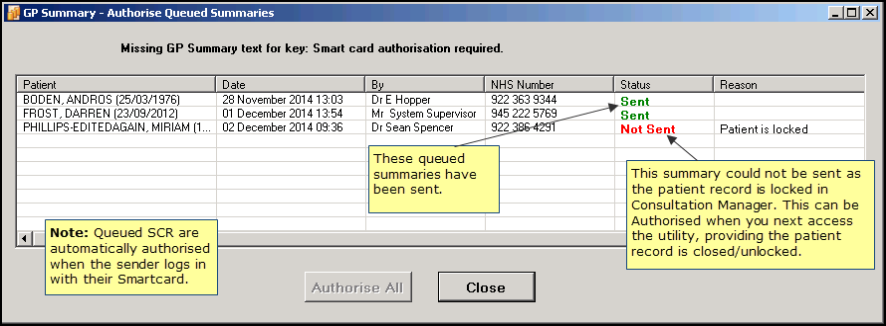
Queued Messages - In Progress
- When completed, the status of each summary in the queue is updated.
- Click Close to finish. Note - When a member of staff leaves, check the Queued Summary utility and authorise any queued messages for that user.

