Enabling Online Appointments
To activate online Appointments:
- From Management Tools, select Control Panel – File Maintenance - Online
 .
. - Tick Appointments Enabled.
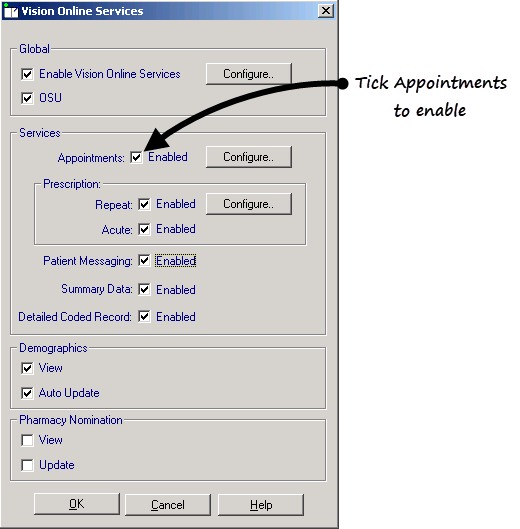
- Click Configure to customise how appointments works for your practice, see Configure Online Appointments.
See Configure Online Appointments for details.
Note – To print this topic select Print  in the top right corner and follow the on-screen prompts.
in the top right corner and follow the on-screen prompts.
