Right click while pointing to the group heading in the left-hand tree view, and select Remove All. This empties the group after you click on Yes on the Confirm Remove screen: RemoveALL staff members from staff group?
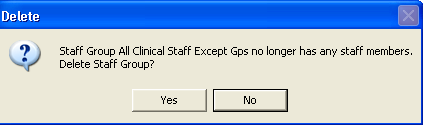
As this leaves the group empty, you are asked: Staff Group [name] no longer has any staff members. Delete Staff Group? Answering Yes deletes the group, but it is perfectly valid to answer No and leave an empty group between sessions as it may be needed subsequently.
Did you find this helpful?
Sorry about that
Want to tell us more? - Send an email to leave your feedback.
Or click here to submit a query directly with Customer Support.
Great!
Thanks for taking the time to give us some feedback.