Health Board Workflows
Health Board Formulary Deployment Options
This guide outlines two approaches for implementing a formulary using FMT and enabling its use within Vision 3.
Option - Live Environment
This implementation supports the creation, publication and adoption of formularies, from Health Board publication through to clinician use within practices.
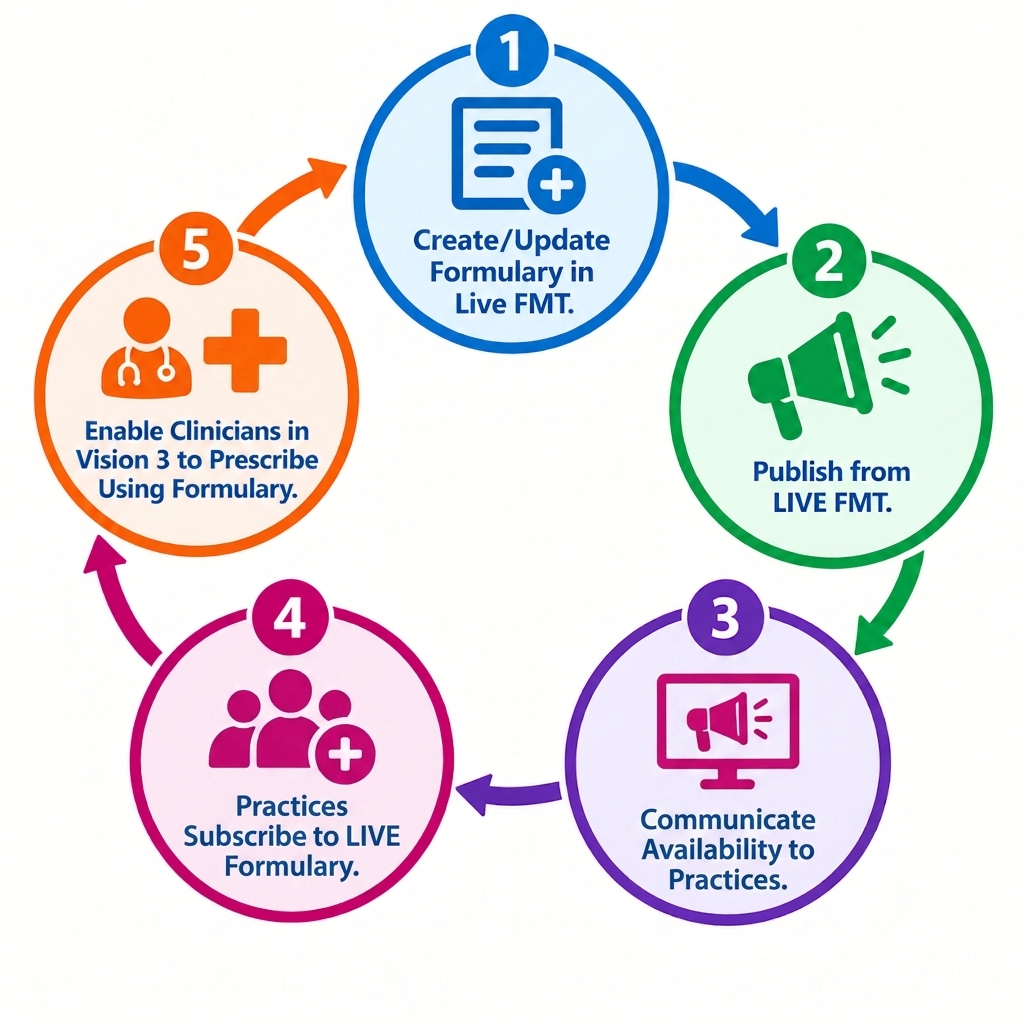
Access to the Live Environment
Please note:
-
The live versions must be installed on the local desktop only and not on the hosted desktop, as two versions (live and test) cannot coexist within the same environment.
-
The same email address and password may be used in the test and live environments they are completely independent, and account management changes in one environment will not affect the other.
Option 2 - Test Environment to Live Environment:
This implementation allows Health Board pharmacists to run through the complete workflow from formulary creation to practice use.
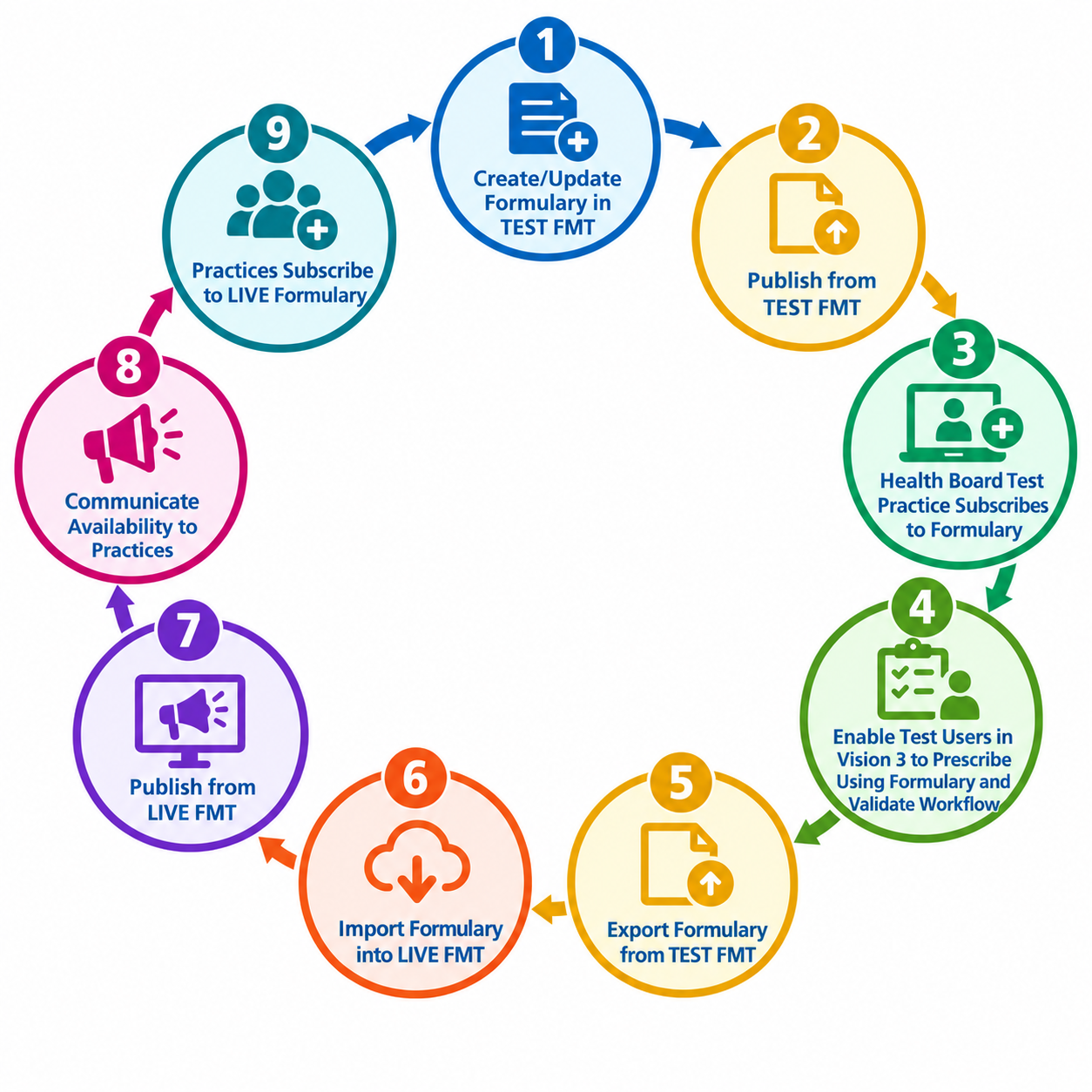
Access to the Test Environment:
-
Users who already have access to the test version of Vision 3 will use their existing email and password as set up in Vision 3 to access the FMT test environment. Access will be available from the hosted desktop only.
-
Password resets for these users will be managed within Vision 3.
-
Users who require access to FMT only and do not have access to Vision 3 will use their existing email and password as set up in Vision 360 to access FMT.
Option 2 benefits:
-
Enables Health Board pharmacy teams to fully test the formulary before it is made available for live use.
-
Provides visibility of the prescribing process and how the formulary is applied in practice.
-
Supports effective assistance and issue resolution during rollout and subsequent use.
Password Reset Process:
For users without Vision 3 access (user setup in Vision 360):
-
If a user forgets their FMT password in the test environment, a Vision 360 System Support user must reset the password within the test Vision 360 environment.
-
If a user forgets their FMT password in the live environment, a Vision 360 System Support user must reset the password in the live Vision 360 environment.
For users with Vision 3 access (user setup in Vision 3):
-
If a user forgets their password in the test environment, a Vision 3 user with administrator privileges must reset the password within the test Vision 3 environment.
-
If a user forgets their password in the live environment, a Vision 3 user with administrator privileges must reset the password in the live Vision 3 environment.
Note:
Once a practice has subscribed to a formulary, any subsequent changes made by the Health Board pharmacy team will be applied automatically through the overnight update process. If an urgent change is required, a practice manager can manually trigger an update to make the latest version available immediately.
Useful Resources:
Version Control Notice - Health Boards are responsible for managing formulary version control.
Although auditing capabilities are planned for a future FMT release, appropriate local version control processes should be maintained. When using Option 2, particular care should be taken when exporting and importing formularies between Test and Live environments to ensure the correct version is published.