Managing Widgets
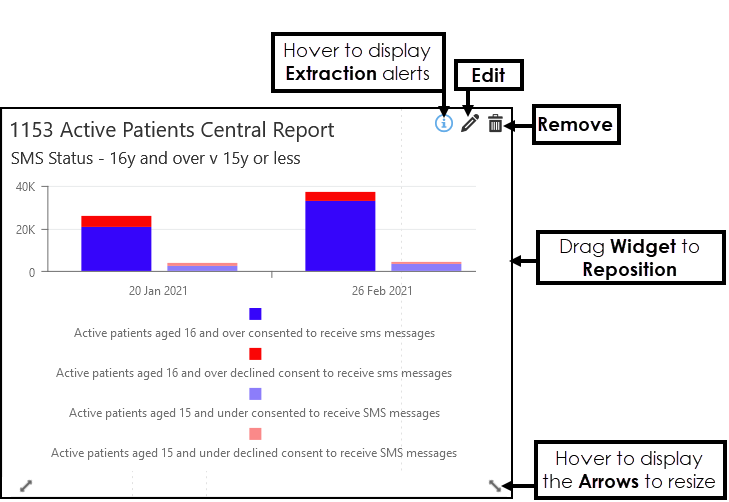
You can Edit, Resize, Reposition, access Extraction Alerts or Delete Widgets from your Dashboard:
- Extraction Alerts
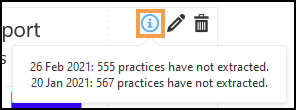
Hover over Information to display any Extraction Alerts.
-
Edit
Select Edit to make changes to the Widget's Properties.
 -
Remove
Select Remove to delete the Widget.
An alert displays "Are you sure you want to remove this widget?", select Yes to proceed or No to cancel. -
Resize
Hover over the Widget to display the Arrows, and drag to Resize. -
Reposition
Drag the Widget to Reposition.