Unlocking a Shared Care User's Account
After three unsuccessful attempts at logging in, users are locked out of Vision360 applications a locked out message displays depending on the application, for example:

To unlock a shared care user's account:
-
Open your browser and access Vision360 using the URL provided by the OneAdvanced implementation team.
-
Login toVision360 by entering your user name and password and select Sign In:

-
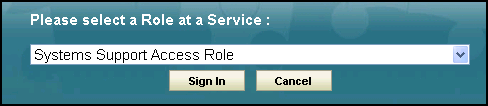
Select your Systems Support Access Role and then Sign In:
-
Select Organisational Services
 .
. -
In Search, enter part of the locked user's name or email and select Search
 :
:
-
All matching results display, select the user required and the Edit User screen displays with the Details tab selected.
- A This account has been locked after three failed access attempts message displays at the top of the Details screen:

Select Unlock
 .
.
 in the top right corner and follow the on-screen prompts.