Conversations
Each Task has a Conversation tab to enable messaging between you and any other persons or groups invested in the task:
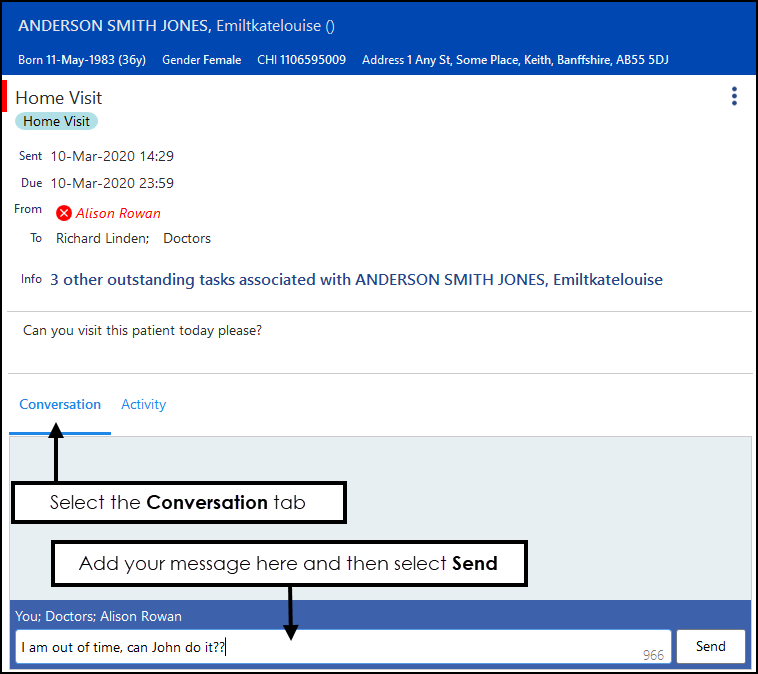
To start or add to a Conversation:
- From Tasks, select the required task.
- Select the Conversation tab
 , any existing messages display.
 - Enter your message, up to 1000 characters:
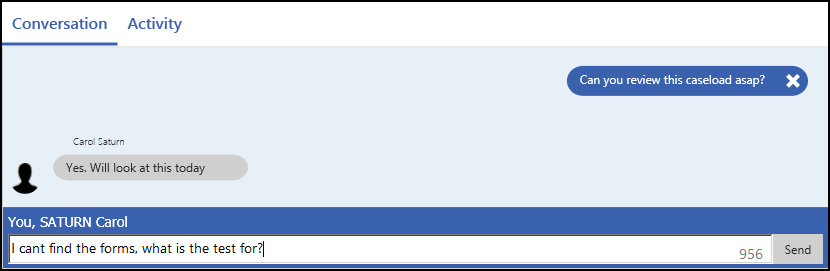
- Select Send.
- All recipients are notified via their user profile
 that something is pending and the text displays within the Notification pane: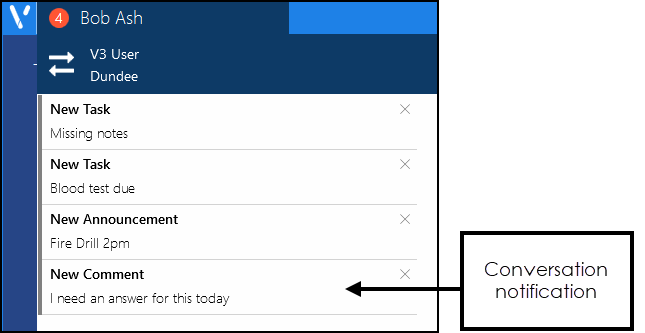
If you have added a comment in error, simply select the X to delete it:

Once an item is deleted, you can undo the delete by selecting Undo. This is available until you deselect the task:


Note - We do not recommend you add to the conversation section of a completed task.
Note - To print this topic select Print  in the top right corner and follow the on-screen prompts.
in the top right corner and follow the on-screen prompts.