Editing a Task
Editing a Task (1:02)
You can only edit a task if you are the:
- Originator
- Recipient
- System Administrator
To edit a task
- From Tasks
 , select the task you wish to update.
 - Select the Options Menu
 .
. - Select Edit and the Edit Task screen displays:
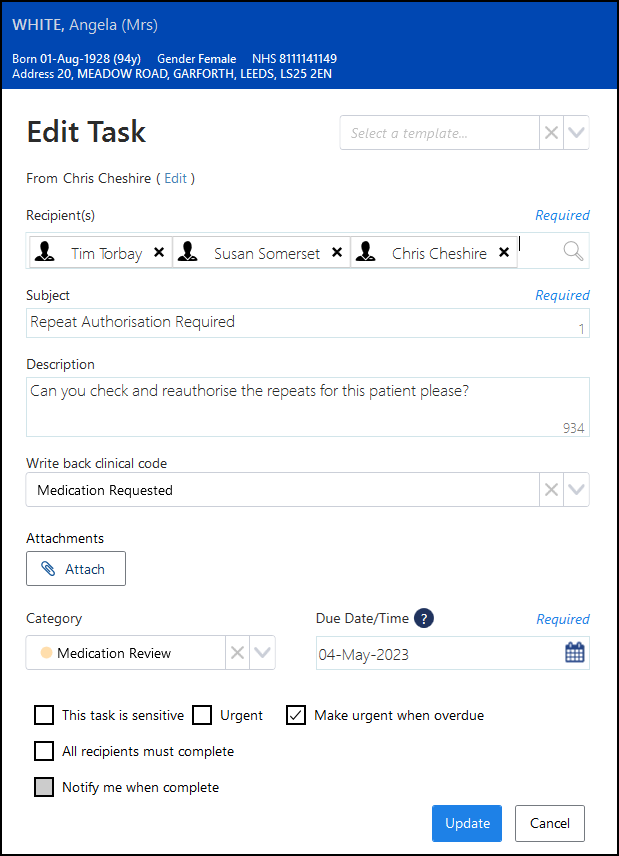
- Make any changes required.
- Select Update
 .
. - If you are not the originator or the recipient of the task, the Update Task screen displays:
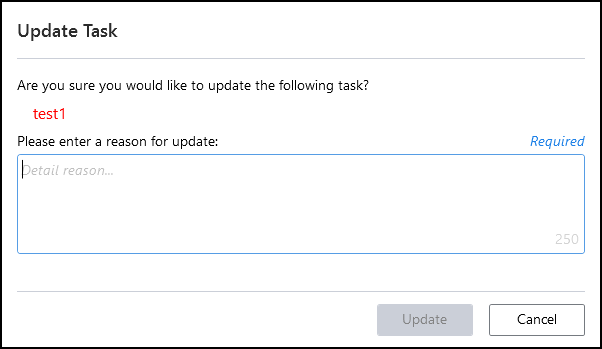
- Enter the reason for your update and select Update.
Note - To print this topic select Print  in the top right corner and follow the on-screen prompts.
in the top right corner and follow the on-screen prompts.