
Marking a Patient as Seen
Patients are automatically marked as seen when you close a consultation, but you can do this manually if required.
- From the Appointment list, select the status button for the patient you have seen.
- Select Update status - this patient has been seen.
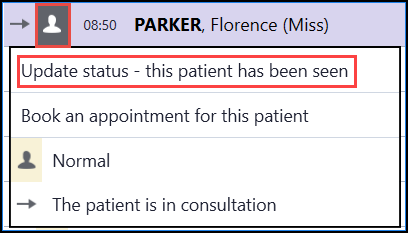
- The status changes from In Consultation
 to Seen
  .
.
See Updating the Patient Status for details.

