ORBIT Score Calculator
The ORBIT Score Calculator estimates the bleeding risk for patients with atrial fibrillation requiring anti coagulation.
ORBIT Score Calculator Scoring
| Score | Risk Group |
|---|---|
| 0-2 | Low (2.4 bleeds per 100 patients-years) |
| 3 | Medium (4.7 bleeds per 100 patients-years) |
| 4-7 | High (8.1 bleeds per 100 patients-years) |
Accessing the ORBIT Score Calculator
- From Consultation Manager, select Vision+ from the floating toolbar and select Calculators - Cardiovascular - ORBIT.
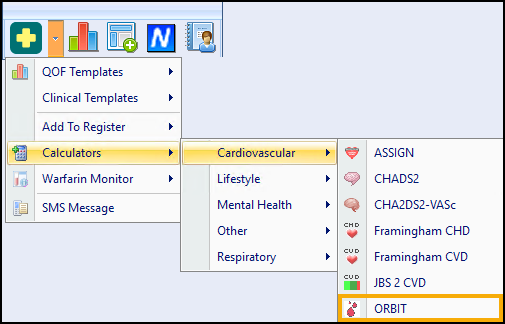
- The ORBIT Score Calculator displays:
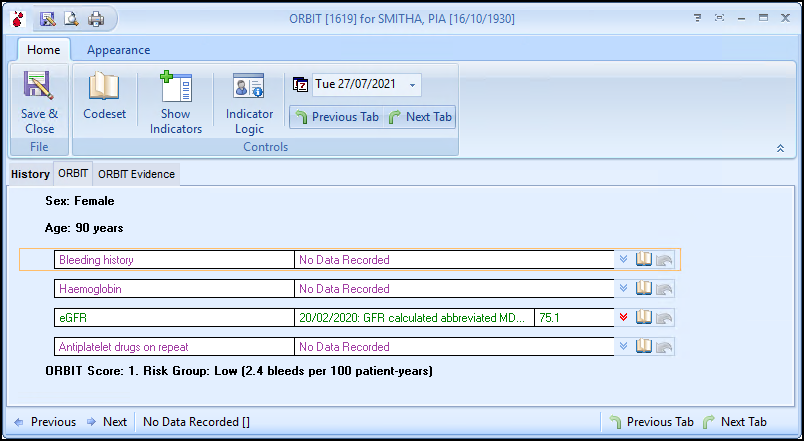
Using the Calculator
Home Tab
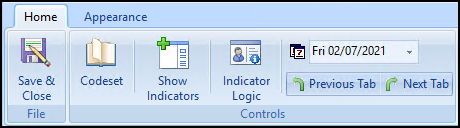
From the Home tab:
-
 Save & Close - Select to save the calculator and generated score to the patient's record.
 -
 Codeset - Enter a code for the selected line.
 -
 Show Indicators - Select to display the patient's Alert Indicator without opening Consultation Manager.
 -
 Undo Last Entry - Deletes the previous entry.
 -
 Indicator Logic - Select to display the rules behind the calculator.
 -
 Default Date - Defaults to today, update if required by entering a new date or selecting from the calendar.
 -
 Previous Tab / Next Tab - Moves between the Calculator tabs.
Calculator Tabs
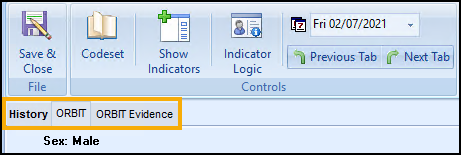
Select from:
-
History - Displays the clinical information from the patient's record.
See Viewing the History Tab for details. -
ORBIT - The main calculator tab, complete as required.
-
ORBIT Evidence - Displays further information about the calculator.
Completing the Calculator
To complete the ORBIT Score Calculator and score your patient:
- Any relevant data from the patient record automatically populates.
- Populate the calculator with any additional information required:
- History:
 A blue arrow displays if the row contains none or one relevant clinical term.
  A red arrow displays if the row contains more than one relevant clinical term.
To close the History screen, select Close
 . The window can also be resized using the Resize
  option.
 Codeset - Select to view the Codeset Codes data entry screen, where codes can be chosen from pre-defined list.
 Undo Last Entry - Select to delete the clinical term previously entered on that line during the current session.
- History:
- Select Save & Close to save the score and calculator to the patient's record:

- The appropriate clinical term saves to the patient's record:



 in the top right corner and follow the on-screen prompts.