Cancellation Reasons
Setting up Cancellation Reasons (1:00)
Cancellation reasons are used to audit the why booked appointments are being cancelled. These are used both in practice and by the patient via online services.
To view your existing Cancellation reasons, from the select Cancellations reasons  and the Cancellation reasons screen displays:
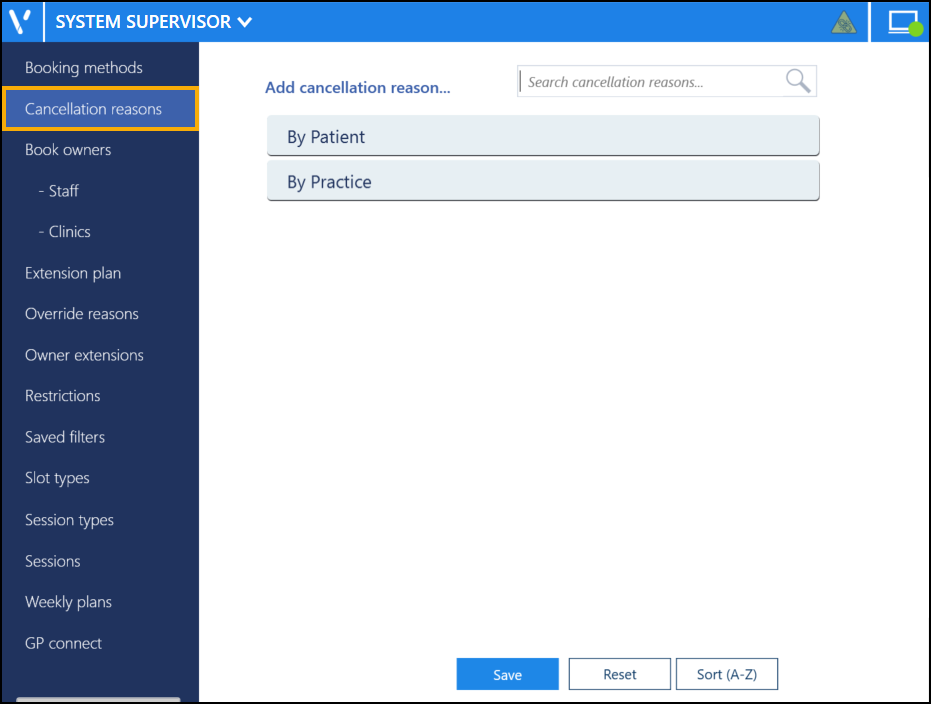
You can drag and drop the reasons into the order you want them to display, or select Sort (A-Z)  button.png) to reorder the list alphabetically.
to reorder the list alphabetically.
You can also use Search cancellation reasons to find a reason if required.
Updating Rows
The following notifications display on the screen when additions, modifications and deletions are made:
-
 Addition - Adding a new row.
 -
 Modification - Modifying an existing row.
 -
 Deletion - Deleting rows.
 if the change cannot be made, for example, if the name you are using is already in use.
Setting up and Managing Booking Methods and Cancellation Reasons (1:51)
 in the top right corner and follow the on-screen prompts.