Manually Include Withheld Items
To manually include items listed as excluded on the Withheld Items list:
- From Consultation Manager, select a patient, open a consultation and view the National Summary.
- Select the excluded item required, or hold CTRL and select all the items to include:
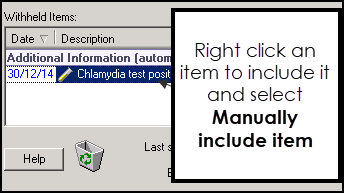
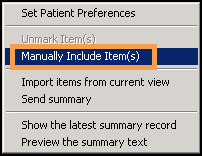
- Right mouse click on the item(s) and select Manually Include Item(s). The selected items are moved to the Additional Information (manual) section of the National Summary:
- The updated information is sent to the NHS Spine when you deselect the patient.
Note - To print this topic select Print  in the top right corner and follow the on-screen prompts.
in the top right corner and follow the on-screen prompts.
