Editing an Encounter
An open Encounter can be updated within Vision Anywhere. However once an Encounter is closed, only the last Encounter of a Vision 3 registered patient can be re-opened and updated.
Updating an Open Encounter
To edit an open Encounter:
- From Vision Anywhere, select the patient required.
- From the Patient Summary screen, select the open Encounter:
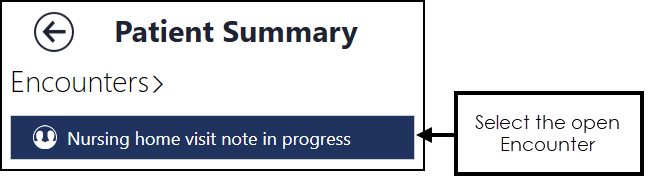
- You can now add to or edit the Encounter as required, see Adding Clinical Data and Editing Data for details.
- Once you have finished updating the Encounter, select Close this Encounter
 .
.
Updating a Closed Encounter
To be able to update the last closed Encounter you must be:
-
A practice user.
-
Logged on as the originator of the entry and have editing rights within Vision 3.
-
Online with the same device as the original entry was made with.
To update the last closed Encounter:
-
From the selected patient's Patient Summary screen, the last Encounter displays under the Encounters - Last Encounters header. If you have met the above criteria, Edit encounter
 displays, select to start updating: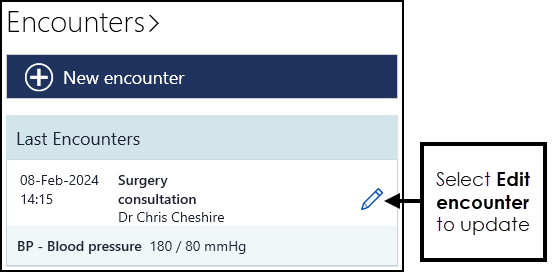
-
Update the details as required.
-
Select Save
 .
.
Please be aware, a number of data types cannot currently be updated once an Encounter is closed, this includes:
-
MED3s
-
Immunisations
-
Referrals
-
Test Requests
-
Medications
 in the top right corner and follow the on-screen prompts.