Logging Out of Vision Anywhere
As with all applications, it is important that you log out of Vision Anywhere properly.
-
To close Vision Anywhere but to leave it running in the background for Business Continuity purposes, select Close
 from the top right corner of Vision Anywhere.
-
To close all Vision Solutions:
-
Select the System Tray Arrow
 and right click the Vision logo: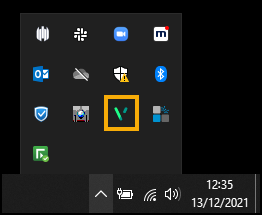
-
The Vision menu displays:

Select either:
-
Sign Out to close all OneAdvanced Solutions, or
-
Vision Anywhere - Quit to log out of Vision Anywhere alone.
-
-
 in the top right corner and follow the on-screen prompts.