Copy and Paste within Vision Anywhere
You can copy and paste from the following areas within Vision Anywhere:
Select a topic below to expand the section:
 Copy and Paste NHS/CHI Numbers
You can copy a patient's NHS (England, Wales and Northern Ireland) or CHI (Scotland) Number. From any page with a Patient Banner, move your mouse pointer to the number required and a Copy NHS/CHI number to clipboard message displays:

Select Copy NHS/CHI number to clipboard and a NHS/CHI Number copied to clipboard displays:

You can now paste this outside of Vision Anywhere in the usual way, for example, Ctrl + V, or right click Paste where required.
To prevent copy and paste errors, when you select a new patient the copied number automatically deletes.
Copy and Paste Device Id
You can copy your Device Id, this can be useful when you are contacting the Service Desk with regard to any issues you are experiencing. To copy your Device Id:
- From Vision Anywhere, select the arrow next to your name.
- Select Settings and the Settings list displays:
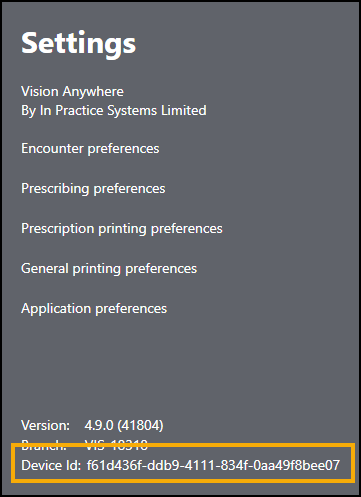
- Highlight the Device Id and press Ctrl +C keys on your keyboard.
-
You can now paste this outside of Vision Anywhere in the usual way, for example, Ctrl + V, or right click Paste where required.
 in the top right corner and follow the on-screen prompts.