Prescription Manager Enhancements
In preparation for Vision Anywhere to support electronic prescribing, we have introduced the following enhancements for Prescription Manager:
-
Preferred Pharmacy - You can now see the patient's Preferred Pharmacy from the Prescription Group Header:
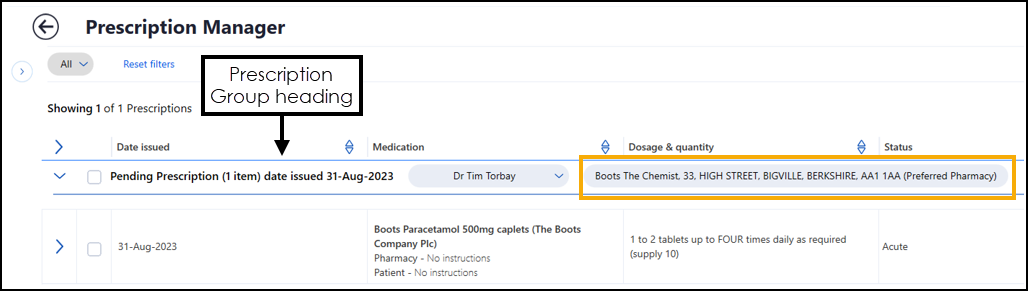 See Preferred Pharmacy for details on recording and updating a Preferred Pharmacy.
 -
Select all - You can now select all items within a specific prescription group, simply tick Select all in the Prescription Group Header:
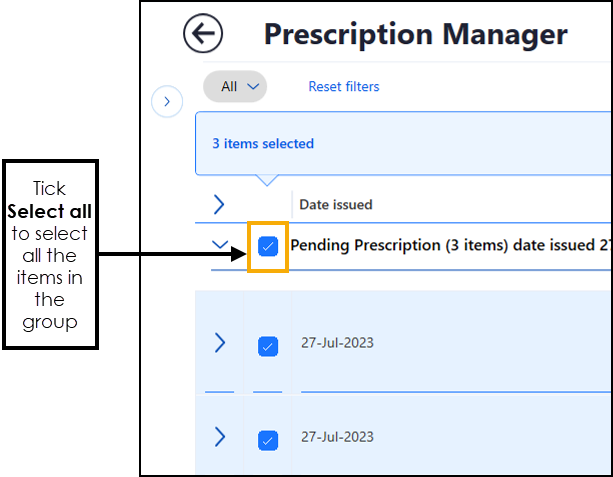 Training Tip - You can use Select all to tick all items, and then untick an item you do not require. This may be quicker than selecting all bar one item individually.
 -
Item Selection - When you select items from multiple prescription groups they no longer move to the top of the list, they now retain their position, this makes it easier for you to run through a long list of medications selecting as required.
-
No Records Found - Depending on what you are searching on, different messages now display:
-
If you have no prescriptions to display - The 'Hmmm, there's nothing there. There are no prescriptions to view' message displays.
-
If selected filters return no results - The 'Sorry, no results found. Please try changing your filter parameters' message displays, select Reset filter to try again.
-
-
Filter results - The issue with the number of items displaying out of the number available message is addressed, for example, Showing 10 of 20 Prescriptions
 .
. -
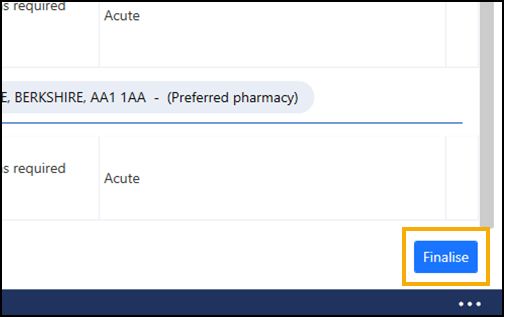
Finalise - The Print option is updated to Finalise. Select Finalise to issue all items available to issue across all prescription groups. You do not need to select them first:
-
Reprint - Once you select item(s) from the Recent list, the Reprint option is now at the bottom right corner of your screen:
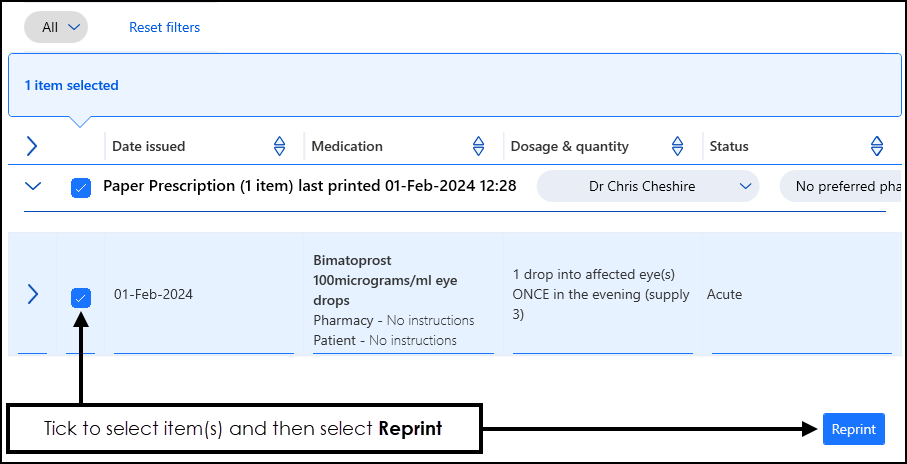
 in the top right corner and follow the on-screen prompts.