Recording Contractor Nomination
You can search for dispensing contractors via the Nomination Management window in Consultation Manager. Pharmacy details are maintained via the patient choices database on the PDS system:
Note – All instructions assume that you are logged into Vision with your Smartcard and that you have the appropriate role/functions to access EPS R2 functionality.
- In Consultation Manager, select the patient and open a consultation.
- Select Patient Details
 or tab.
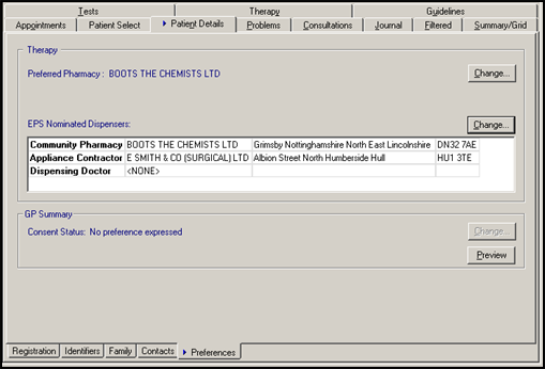
 - From the bottom row of tabs, select Preferences. Under the EPS Nominated Dispensers section, any dispensers previously nominated by the patient are listed (the type of contractor, name and address are displayed).
- To change or select a new dispensing contractor, click on either Community Pharmacy, Appliance Contractor or Dispensing Doctor, then click on the Change icon.
 Note – To nominate a pharmacy chain, i.e. Boots, you must select a specific pharmacy location/address. It is not possible to select just a generic pharmacy name.
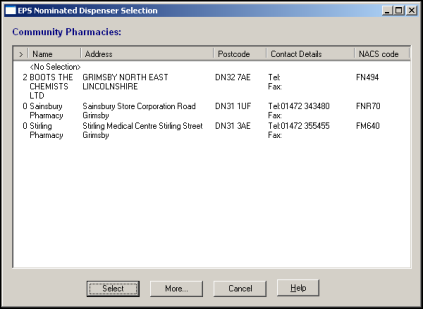
 - The EPS Nominated Dispenser Selection window is displayed. You are initially presented with a list of all the dispensers previously selected by patients at your practice by order of frequency.