Getting Started with FMT
Getting started with FMT (4.37)
To get started with the Formulary Management Tool (FMT):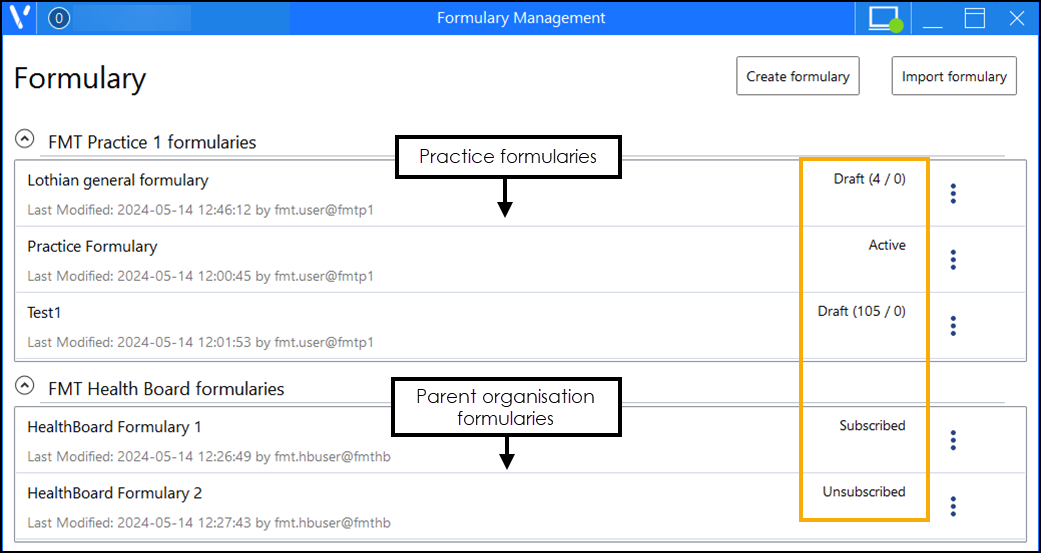
-
You must contact OneAdvanced to arrange access to FMT.
Note - Internet access is required to access and use FMT.
- You need a log in username and password to access FMT. The log in username may be either at parent organisation level, for example, a Health Board, or at a practice level. If you have both types of access available, select the appropriate role when you log in. Important - Only the creator of a formulary can update it.
- Parent organisations can create and maintain formularies, once published these are available for use by practices.
- Practices can view and subscribe to any associated parent organisation formularies and can also create and maintain their own formularies for internal use.
- OneAdvanced manage and maintain the practice and parent organisation relationships.
Important - FMT does not perform any clinical checking of default doses, quantities or the suitability of a treatment protocol tag. The clinical accuracy and efficacy of a formulary is entirely the responsibility of the creator of the formulary.
FMT is supported by OneAdvanced. You must contact your practice administrator or the Service Desk if you need help accessing or using the application, see Contacting Us for Support for details.
See Navigating the Formulary Management Screen, Creating a Formulary and Managing Formularies for details.
Note - To print this topic select Print  in the top right corner and follow the on-screen prompts.
in the top right corner and follow the on-screen prompts.