Leaving an Encounter Open
If you want to come back to an Encounter later and not synchronise it to the main patient record yet, simply navigate away from the Current Encounter screen using the Back Arrow  to return to the previous screen or Home
  to return to the Vision Anywhere Home screen.
Depending on your settings, you may be prompted that the Encounter is open and has not been added to the patient record, select Continue, see Encounter Preferences for details.
Note - If you have printed medication you cannot leave the Encounter open. This is to ensure that the medication details are immediately synchronised with the main patient record.
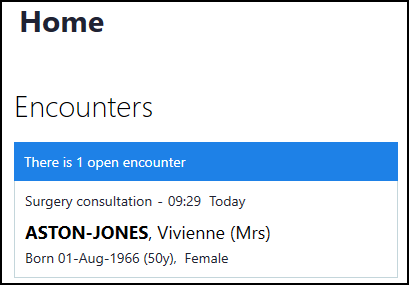
Your open Encounters display on the Vision Anywhere Home screen under Encounters:
You can now select another patient or exit Vision Anywhere.
Note - Open Encounters store on your device for 90 days, and cannot be accessed from any other setting. Any open / offline Encounters automatically delete after 90 days or if you forget your password.
See Encounters
and Why Should I Close Encounters? for details.
Note - To print this topic select Print  in the top right corner and follow the on-screen prompts.
in the top right corner and follow the on-screen prompts.