
|
|
|
|
|


Import Summary Tab
For each Record Transfer, you can check for any problems that were encountered with the Incoming Record, simply select the Import Summary tab.
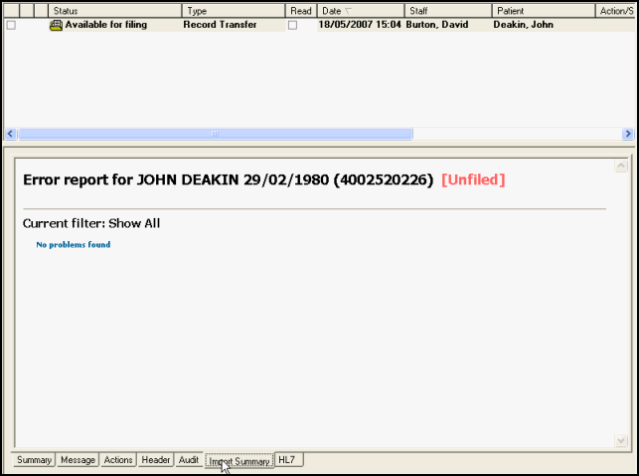
If there are any errors or degraded records, these are shown in red. These might include unfiled pathology, un-Read-coded medication, etc. Often allergies are a source of error as these do not file and need to be added later in Consultation Manager by a clinician see Degraded Records for details.
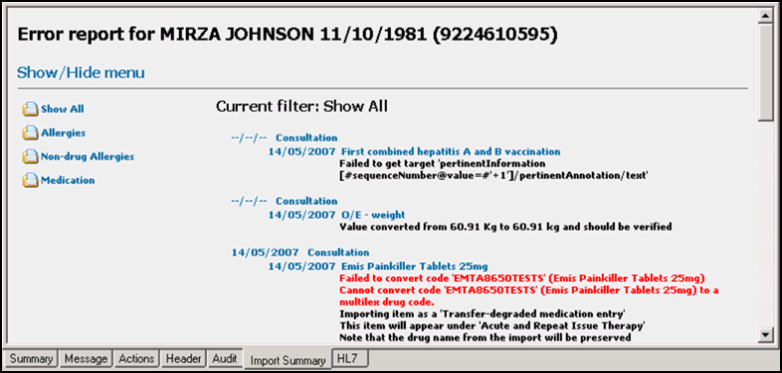
Degraded data is not lost, but "degraded" to a state where it is not correctly Read coded, but can still be read. Degraded records are displayed on the Alerts pane within Consultation Manager as Degraded GP2GP Records, select to display them on a filtered tab ready to be updated. Degraded Records are unlikely to occur for Vision to Vision transfers, but are more likely with other supplier to Vision transfers.
See also: File the Record, Audit tab, Next step - review the record.

