
|
|
|
|
|


Incoming GP2GP Messages
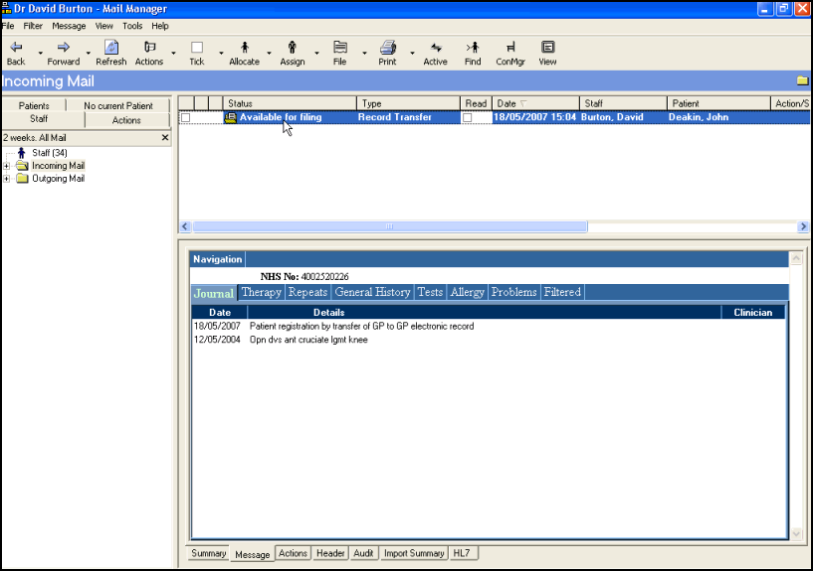
You do not have to take any action until you receive the Record Transfer message with an Available for Filing status.
Once you receive a Record Transfer, select the Message tab to view the record being received. The records being received display in tabs similar to Consultation Manager. The Read coded entry that is added to the patient record once it has been filed is displayed on the Journal tab.
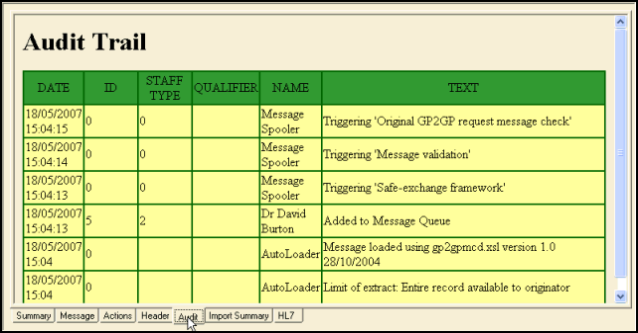
The Audit tab shows a message status in more detail.
See also: Import summary tab, Filing the Record, Audit tab, Reviewing the record

